The solution to homework problems
|
|
The StudyMinder Homework System is an electronic student planner for Microsoft Windows, now in use by thousands of middle school, high school and college level students. StudyMinder helps students improve their grades by solving the most common problems students face.
- Forgotten assignments
- Homework notes scattered everywhere
- No overview of when assignments are due so that work can be prioritized
- Difficulty estimating and scheduling study time
- Waiting to start big projects until the night before they are due
- Lack of good study habits and time management skills
|
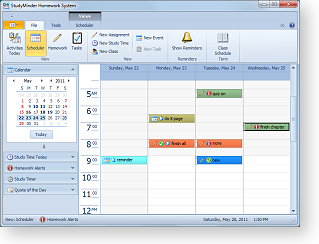
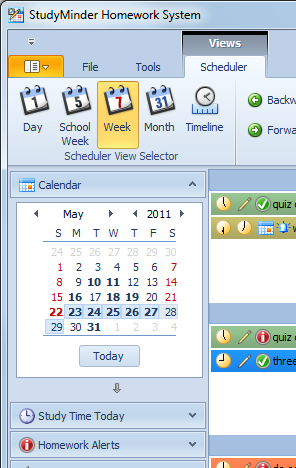
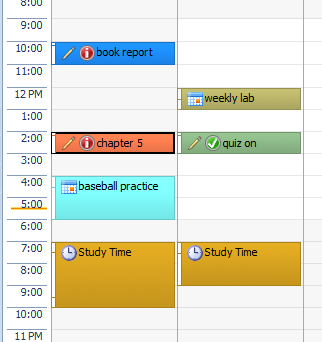
The StudyMinder calendar screen displays all homework assignments, events and tasks that have been scheduled.
Custom colors
and icons in Calendar Mode provide a
clear overview.
Download >>
Order >>
|
The easy way to get your homework done!
The StudyMinder Homework System is simple to use.
- Enter your homework assignments into StudyMinder
- Schedule study time
- See a complete overview of upcoming assignments and tests
- Get alerted with popup reminders
- Check off assignments as you
finish them
- See a record of all your work, complete with grades and current GPA
 Why use an electronic student planner? Why use an electronic student planner?
Students use their computers for every aspect of school work, including communications, note taking, writing and research. It makes sense to keep homework schedules on the computer too, where they can be quickly checked, organized and updated.
Traditional student planners have a number of limitations
- There is limited space for notes and changes.
- Paper planners don’t give a clear overview of when all assignments are due
- They don’t help to prioritize which assignments to work on.
- They do not useful in scheduling the required study time to complete assignments.
Entering assignments into StudyMinder – which takes just a few seconds for each assignment – ensures that all important homework information can be found quickly and nothing gets lost or forgotten. StudyMinder gives students power over their schedules and encourages good time management skills.
|
|
|
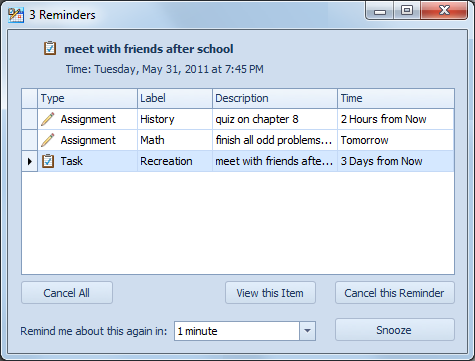
StudyMinder's Popup Reminders window opens even when you are using a different program.
|
Exclusive homework features
Students have special scheduling requirements that are not satisfied by general purpose calendar software programs. With a calendar program you enter an assignment on the date that it is due. But then what? How do you track how much has been completed? How do you mark it "Finished"? And most importantly, what about study time? Simply adding an assignment to the calendar doesn’t help with scheduling the time required to complete it.
StudyMinder is a special purpose planner for students. The StudyMinder Homework System has dozens of features for managing homework that are not available in a paper student planner or calendar software program. No other application has the power of StudyMinder!
- Lets you schedule study time and be notified if not enough study time has been scheduled to complete all assignments
- Pops up Reminders can be set for each assignment and test to ensure you're always prepared
- Displays the amount of time you need to study for each assignment
- Displays all of your assignments at a glance - by class, day and week
- Lists your assignments by difficulty, estimated time, status, type and more
- Alerts you when assignments are late
- Tracks assignments, tests and quizzes, even large projects
- Calculates your current grade point average for each class
 |
Study time
you schedule is displayed in StudyMinder's Event view.
Study time is a special type of event that StudyMinder tracks and compares to the amount of homework that needs to be done.
If not enough study time has been scheduled to complete all assignments, StudyMinder will notify you.
Download >>
Order >>
|
The complete student planner
Students can use StudyMinder for more than just homework assignments. Any type of task or event can all be entered into StudyMinder. These items will appear in the StudyMinder calendar along with homework assignments.
Tasks
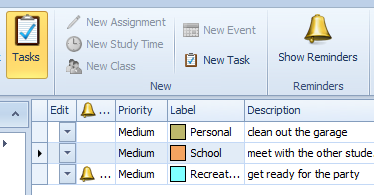 The Tasks Mode lets you add a list of things to do. Tasks can be school-related, or categorized into customized groups for family, personal or other areas. The Tasks Mode lets you add a list of things to do. Tasks can be school-related, or categorized into customized groups for family, personal or other areas.
- Sort tasks by type, due date and priority
- Set completion dates and popup reminders for each task
- Update tasks as they are worked on
- Mark tasks as finished once they are completed
Events
Use the Calendar to schedule
assignments, study time, and any other school or personal activities you need to manage. Add your class times, after school events, trips, birthdays and more.
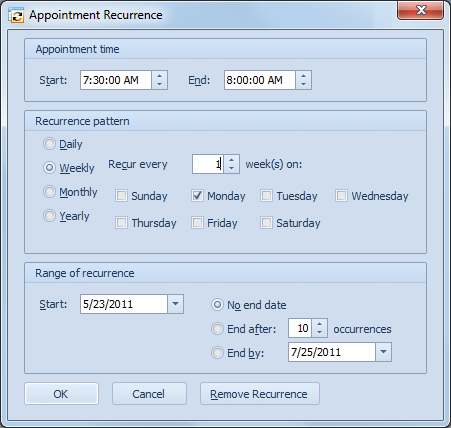
- Events can be set to automatically recur at specified intervals.
- Popup reminders can be used to notify you in advance of scheduled activities.
|
|
|
Setting a recurring event with StudyMinder
|
|
Customize the look and feel of
StudyMinder
You can
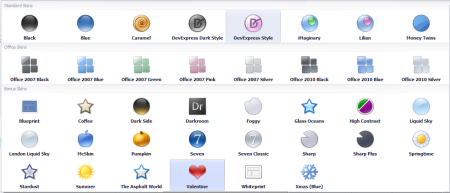
select the look you want from 38 different skins
that are included with StudyMinder. Just one click
completely changes the color scheme and of the program.
You're sure to find a design you like in
the Skins Gallery.
|
|
Choose a skin from the Skins Gallery.
|
Here are just a few samples of
the same Calendar view in different skins.
|